FIRST METHOD Some things you should prepare first, among others,
Micro SD (external memory)
BG Shell (can be downloaded on BlackBerry World)
WhatsApp Android (can be downloaded here)
If all is done, stay the next step ie
Enable the developer mode on your BB10 before proceeding with this fix.Settings / Security and Privacy / Development Mode Turn it on, provide the password.
First
Open File Manager (File Manager)
Select a Media Card
Create a folder with the name of Android, with the letter A using capital letters (large)
Second
Go to Settings (Settings)
Select App Manager (App Manager)
Select Device Monitor (Device Monitor)
Choose WhatsApp and close Apps.
Third
Open File Manager (File Manager) again
Select Device
Select the misc folder
Select the android folder
Select the WhatsApp folder and Move (Move) to the Android folder that was created earlier on the Media Card, not in Copy.
Fourth Open BG Shell that has been downloaded from BlackBerry World
Bgshell: https://appworld.blackberry.com/webst...
Bgshellplus: http://appworld.blackberry.com/webst....
Then type like this
Pwd cd / accounts / 1000 / shared / misc / android
ls -s external_sd / Android / WhatsApp WhatsApp
If all the steps are done, WhatsApp Android can be used to share files
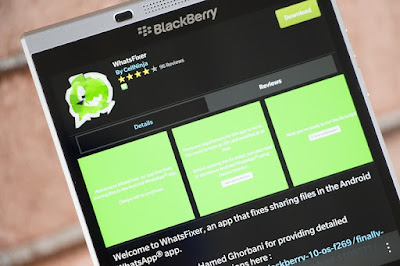
SECOND METHOD download WHATSFIXERfor blackberry10 from blackberry world or click hereto direct you to blackberry world
We should accept that every freelancer or design agency lacked at least once any client. These situations shouldn’t scare anyone, even the best designers faced similar cases. On the other hand, lacking the clients shouldn’t be a reason to be happy! Any designer should be aware that no work is equivalent with no money to pay the bills. We previously mentioned the necessity for every designer to have some savings for the periods when lacking clients…easy to say, but hard to apply. Much more, we offered you a good solution of income – selling logo templates.
Our readers enjoyed very much the article and we consequently dug deeper into the problem and here we will present some useful tips to create selling logo templates and also a list of marketplaces where everyone may sell their works. Generally speaking, templates are still disregarded by many people and the common mentality is that only poor designers are passionate about them. The truth is that, indeed, many amateur designers try to make a part of their income by selling templates and the majority of these templates are decent. Recently, the quality of templates raised and many designers seem to take into consideration this activity. The result is obvious, the marketplaces are full with well-designed templates and the clients’ number is exponentially growing. Briefly, the template industry is turning into a very profitable entity for both designers and clients.
The competition is very harsh; as a result it’s mandatory to offer extremely qualitative works. The marketplaces focused on logo templates follow the same pattern, so if you want to sell logo templates and make money out of this activity, quality is a must! People need serious online identities and a good template would be always appreciated and of course, bought! I hope that you noticed – “a good logo template”!
So, if you really want to make money from templates, these must be extremely attractive, else it’s a lost cause!
A good logo template is impossible not to be remarked and eventually bought, but the quicker is it sold, the best for logo designer! Logically thinking, any designer selling templates should try to sell more and faster! How to do… the answer is simple and if you consult regularly our blog, then you already know the solution! Marketing is very important and in order to sell logos, it’s capital to have a solid strategy in this respect. Wiling or not, marketing is not enough!
Here are presented some tips that will help you in creating more selling templates!
#1. Study the trends
Flat design was the trend of the year and it seems that everyone is content with this approach. Any designer knows that flatness supposes simplicity, focus on content and typography- “content before chrome”! As long as flat design excludes the use of gradients, then is highly recommended to avoid using this solution.
The same idea should be applied with any passing trend. It’s true that trends come and go, but when web designers are desperately searching for some types of logos, it’s a big mistake not to offer them what they need.
#2. Check the portfolios of other logo sellers
Checking the portfolios of other logo sellers isn’t equivalent with stealing logos/ideas from them! Instead, it’s fair and even recommended to learn from the best ones! In conclusion, when lacking inspiration it is a good idea to check what other designers created and try to “extract” the ideas and techniques used!
#3. Periodically check what kind of logos are the best sellers
It’s no mistake to consider selling logos as a business. From this perspective, it’s obvious that studying the market and the clients is mandatory. Definitely, a logo designer should study what the clients buy more in order to provide them what they need. Studying the clients ‘preferences is not a big deal, but the conclusions may help in making better sells!
Finally, here are the best markets available for selling logos! All of them are good opportunities and anyone interested in selling logos should check themselves to see which one is more suitable for their requirements.
Brand Crowd is a famous marketplace and here are uploaded only the best logo templates. Honestly, I visited this website for more than twenty minutes and I didn’t realize when the time passed, the logos uploaded all look extremely beautiful. Everything is at the superlative level; I guess that the opinion of Zeeteegee, a designer selling logos here is relevant. “I’ll never forget that day I sold a logo for $1,000. Without your rigorous approval system, I’d never improve.”
99 Designs is well-known for logo competitions- a bunch of designers “fights” to provide to a client the best logo; unfortunately only one designer receives the prize. Many cool logos weren’t bought by clients and to be able to gain some money, the designers have now the option of selling them using 99 Designs logo store. Each logo templates costs 99$, so it’s a “destination” that should be bookmarked.
It is part of the Envato Network and any designer knows that it’s a clear sign that Graphic River is an exclusivist place. Here you may sell logos but also any type of graphical products. The competition is very harsh, there are only top designers.
Identity Crowd is another marketplace where one can sell logo templates. The minimum price is 100$ for a logo, but the website owners will give to the designer only 65% from the money received by selling a logo.
Some people believe that numbers have no relevance, but in this case I consider that it’s revealing the potential of Stock logos: more than 81000 members, almost 50 000 logos and the amount of money transacted – 1, 300,000$. Do not waste your time and become part of this numerous community.
Design on Click isn’t so famous as the previous websites, but it doesn’t mean that a good logo template won’t be bought here. It is very similar to 99designs, so you may participate in logo tournaments as well.
I hope that I convinced you to try getting into this business and that this information was useful for you. I am waiting for your opinion and don’t forget to share the post with your friends!
Blackberry 10 users have been enjoying the privileges of running Android apps for quite some time now but the process of installing Android apps was risky because you had to sideload the apps downloaded from Third Party Sites. But now you don’t need to sideload the APK files before you can run and enjoy it on your BB Z10 device because it is now possible to run Google Play Store on your BB10 device.
For Blackberry 10 Smartphone users to use the service like every other Android device users, here I present to you the easiest way to install Google Play Store on your Blackberry 10 device.
How To Install Google Play On BlackBerry Z10 First of all you need to download the following apk files on your BlackBerry using any browser. Google Play Store 5.7.6 Blackberry Google ID 2.1.1 Google Account Manager 4.3.2
↓↓↓↓↓↓↓↓WATCH VIDEO TUTORIAL↓↓↓↓↓
Get Google Play Store for BlackBerry LEAP Z10 Z30 Q10 Q5 Z3 Passport Classic Venice/ PRIV
Google Play Store Files UPDATED; 8th January 2016 -CLICK on Adfly link to GET THE 3 FILES ............................................................... %LETS HIT 1000 LIKES& .............................................................. OS 10.3/ 10.3.1/ 10.3.2/ 10.3.3 use this link ..............................
10 Methods to Root Android Device Without Computer
Below, We are listing 10 methods to root android phone without computer. I have personally tried all of below 10 methods first and then shared it here. All of 10 methods requires APK file to be downloaded from buttons listed there.
1. Using FramaRoot
This is the top-most app which comes on Rank 1 when we talk about rooting any phone without PC. This APK is still best APK ever to root any mobile without PC/Computer. This app has rooted thousands of devices which support its exploits. This app is a must try for every phone.
Framaroot has many exploits to root any android device without PC/Computer. Most of the exploits of Framaroot are created for MTK chipset android phones though. Follow below methods to root your android mobile via Framaroot.
This app is very popular among geeks for purpose of rooting their phone without pc. Just download this apk and install in your android phone and you are ready to go. This is one of best rooting apk undoubtedly which you can give a shot. If you are unable to root your android mobile using Framaroot, then you must give this app a try once.
This is one of simplest method to root android mobile safely. Universal AndRoot is the basic android app which can root almost every device without any kind of problem. It is best Framaroot Alternative. Follow, below method to root android mobile using AndRoot.
Steps to root phone using Universal AndRoot:
Just, Download Universal AndRoot from above link.
Install it in your android mobile. (Make sure you have enabled Unknown Sources in settings).
Now, Open Universal AndRoot from app drawer.
Click on Root to begin rooting process.
Note: Before rooting your android phone make sure that you have selected correct Android version. Otherwise, it will not be able to root your android phone using it's exploits.
Android “Marshmallow” is the 6th major version of the Android operating system. It was released in October 2015. Hundreds of thousands people got Android devices running Android 6.0 or 6.0.1. However, many users owned Android Marshmallow intend to root their devices due to all kinds of reasons. Some might purchase a phone because they like the hardware, but dislike the software, some users root Android 6.0/6.0.1 only because they want to get rid of bloatwares or block ads on apps or browsers.
Android rooting opens up a world of possibility. That's why users want to root their devices and then tap into the deep potential of their Androids. Fortunately KingoRoot provides users with easy and safe rooting methods especially for Samsung devices running Android 6.0/6.0.1 Marshmallow with processors of ARM64. Both KingoRoot on Windows and KingoRoot APK can easily and efficiently root your Samsung devices such as Samsung Galaxy S7 edge, Galaxy S7, Galaxy S6 and S6 edge, Galaxy S5, Galaxy Note 5, Note 5 Duos and Note Edge.
It is highly recommended that you try KingoRoot APK first, this one-click root application that makes the entire process of rooting your Android 6.0/6.0.1 Marshmallow quicker, simpler and more efficient without connecting to a computer.
Besides, KingoRoot on windows is another rooting application for your Android which has a much higher success rate due to technical reasons.
How to Root Android 6.0/6.0.1 Marshmallow with KingoRoot on Windows (PC version)?
Preparation
Device powered ON and 50% battery level
Internet connection necessary
USB Cable (the original one recommended)
Step 1:Free download and install KingoRoot on Windows (PC Version).
KingoRoot offers the best one-click Android root software for free.The download will be automatically started to your PC. After download is complete, install the Kingo ROOT.
Step 2: Double click the desktop icon of Kingo Root and launch it.
Step 3: Connect your device to computer and enable USB Debugging mode.
If your device USB driver is not installed on your Computer, Kingo ROOT will install it for you automatically. Make sure you get Internet conenction so that device driver can be downloaded. If you can't connect your devcie to the computer, please refer to Device Not Connected. USB Debugging mode enabled is a necessary step of Android rooting process.
Step 4: Click "ROOT" to root your device.
Kingo Root will employ multiple exploits on your device, which will probably take a couple of minutes. In the rooting process, your device may be rebooted several times. Do not be panic, it is perfectly normal. And once it begins, please DO NOT touch, move, unplug or perform any operation on your device.
Step 5:Root succeeded.
Hopefully your device is well supported and successfully rooted by KingoRoot. Until your device reboots itself, do not operate.
Once rooting is complete, you can do whatever you can with your beloved devices. Flashing a custom ROM or customizing the UI or uninstalling the bloatware become easy and possible. Once you have experience the capabilities of a rooted device, you will never want to unroot it anymore.
(Recommended)
How to make/diy deep flash cable - - http://babblecase.com/2aVM
Bypass Mi Cloud - - http://babblecase.com/2aVF
Mi Unlock Pattern/Password - - http://babblecase.com/2aVV
Mi Firmware - - http://babblecase.com/2aVc
Mi Flash Tool - - http://babblecase.com/2aVe
- - - Tools for bypass
Pangu FRP Bypass tool - - http://babblecase.com/2aVh
Quick Shortcut Maker 2.4.0 - - http://babblecase.com/2aVh
RealTerm: Serial/TCP Terminal - - http://babblecase.com/2aVs
Google account manager(7.0 to 7.1.2) - - http://babblecase.com/2aVx
Google account manager(6.0 to 6.0.1) - - http://babblecase.com/2aW0
Google account manager(5.0.1 to 5.1) - - http://babblecase.com/2aW5
Android-n (Nougat) bypass http://babblecase.com/2aW7
iPhone is disabled connect to iTunes
http://babblecase.com/2aX4
Green screen Samsung Galaxy Display Problem - - http://babblecase.com/2aX7
Device does not have DRK, please install DRK first - - https://goo.gl/EdhgUC
Set Warranty Bit Kernel Recovery - - https://goo.gl/jOLMqr
Recovery/Kernel is not Seandroid Enforcing - - https://goo.gl/iFe9A5
Custom binary blocked by reactivation lock - - http://babblecase.com/2aXJ
Dm-verity verification failed - -https://goo.gl/8b92X0
Device does not have DRK - - https://goo.gl/nmQqmB
Unfortunately system UI has stopped - - https://goo.gl/kJkSeV
Stuck on Samsung logo - - https://goo.gl/55mYDZ
Micromax
Please enter the privacy protection - - https://goo.gl/CO2gBr
lg
How to bypass LG activation screen
http://babblecase.com/2aXM
Motorola
Es file explorer - - http://babblecase.com/2aXU
Device owner Provisioner - - https://goo.gl/P1yt21
NFC Tools 4.4 - - https://goo.gl/a5hZ3E
Bypass moto text DPC - - https://goo.gl/U4oRhR
SOCIAL MEDIA
................................................................................................................FACEBOOK..
https://www.facebook.com/imma.nike
TWITTER
https://twitter.com/imm_nike
INSTAGRAM
https://www.instagram.com/imma_nike
GOOGLE PLUS
https://plus.google.com/u/0/102744953132322868174
YOUTUBE
https://www.youtube.com/immanike
RELATED CHANNEL
..................................................................................................................
https://www.youtube.com/channel/UChGJGhZ9SOOHvBB0Y4DOO_w
What is Instagram Stories?
Instagram has described its new Stories feature as something that lets you "share all the moments of your day, not just the ones you want to keep on your profile". The feature basically enables you to share multiple photos and videos, and they appear together in a "slideshow format", which basically means a reel, like Snapchat. And, of course, these photos and videos will disappear after 24 hours. Seriously.
You can even add text and doodles to your photos and videos. See? We weren't kidding; it's exactly like Snapchat Stories.
How does Instagram Stories work?
Posting;
Tap the camera button in the top left of your screen or swipe right from anywhere in your Instagram Feed. Then, tap or long press the record button at the bottom to take a photo or video, respectively. You can also tap Boomerang to take burst photos that loop forward or backward, and you can swipe left to go hands-free. Either way, once done, tap the doodle, text, or sticker icons to add effects.
Once you're finished editing, you can save your creation to your phone or tap the + circle icon to share it to your story. Photos and videos you share to your story disappear from the feed and your profile after 24 hours. If you don't want someone to see your story, you can hide your story from them. Just tap the profile icon to access your profile, and then tap the settings/more button.
From there, select Story Settings below Account, then tap Hide Story From, and select the people you'd like to hide your story from. Simples.
Viewing
When you post a photo or video to your story, it appears on your profile (a colourful ring will appear around your profile picture, and people can tap it to see your story) and at the top of the Instagram feed (your profile picture will appear in a row at the top of your followers' feeds, and they can tap it to see your story). Stories shared publicly may also appear in the
Search & Explore tabs.
Additionally, if you've added a hashtag, location, or location-based sticker, it may also appear on
hashtag or location pages.
Replying
You can now reply to stories with a photo or video. In addition to writing a message reply, you can also respond with an image. When you're watching a story, there's a new camera button at the bottom of the screen. Tap that, and then snap a pic of yourself or record a video or take a Boomerang. You can move and resize the story image that you're replying to, as well, and insert that in your photo.
From there, apply filters or stickers, and when you're done, hit send to share your creation with your friend. Your friend will get your photo/video response in their Direct message inbox, along with the thumbnail of the original story.
What else can Instagram Stories do?
Add effects: Like Snapchat, you can add doodles, text, stickers, live face filters, and geostickers to your story.
See who's watching your story: When watching your own story, swipe up to see who’s watched each photo and video.
Make your story private: If your account is set to private, your story will only be visible to your followers. You can also hide your entire story from anyone you don’t want to see it, even if they follow you.
Post your story to your profile: Your Instagram Story by default won’t appear on your profile grid or in feed, but you can choose to feature a particular part of your story by posting it on your profile.
Welcome to the 197th edition of Android Apps Weekly. Here are your headlines from this week:
Google announced some changes to Google Play this week. Starting June 30th, Android 2.1 and lower will no longer have Android Market support. This will have two immediately impacts. For starters, developers no longer need to support anything lower than Android 2.2. Secondly, those rocking wicked old phones will no longer have access to apps and games from Google. That’s only about 0.8% of Android phones. Still, it’s something Google doesn’t do very often.
Instagram revealed that Instagram Stories has more than 250 million daily users. That’s impressive in its own right. However, the bigger story is that it makes it bigger than Snapchat. In a rare sighting, the copycat has become more popular than the original. That puts Snapchat back in the role of the underdog. The company also announced that 700 million people actively use Instagram.
Google announced a new job search tool at Google I/O. It went live this week. Job seekers can simply ask Google for jobs near them. Google Search will then show them available jobs. Google can also deliver alerts for new jobs that matches job seeker requirements. It’s a bit basic right now. However, this is likely going to be one of the most popular tools for job seekers very soon.
The latest Humble Mobile Bundle is out! The theme for this one is rogue-like games. You can $1 and get three games, pay $5 and get six games, or pay the average and get every game in the bundle. Some of the titles include Road Not Taken, bit Dungeon I and II, and Heroes of Loot 2. The asking cost for all nine games is $40. That makes this a good deal. Plus, you’ll be helping charity!
SEGA announced a new game this week. The purpose is to bring a bunch of classic arcade games to Android. Sega Forever will include titles like Sonic, Phantasy Star II, Comix Zone, Altered Beast, and others. It’ll be free to download and play with ads. You can remove the ads with a $1.99 in-app purchase. Sega also promised to release more games for the service after its June 22nd launch. Many of the titles, including Sonic, Phantasy Star II, Kid Chameleon, and others are on Google Play.
For even more Android apps and games news, updates, and releases, check out this week’s newsletter by clicking here! There you can find a lot of info that we didn’t have space for here. That includes a big sale on Android games, a new Snapchat feature, and more! You can also sign up for the newsletter using the form below and we’ll send it out every Sunday night..
Wrappup Smart Voice Recorder
Price: Free
Wrappup Smart Voice Recorder is a decent little voice recorder. It does the basic stuff like record things. You can also upload it to cloud storage, share them, and record in high quality. It also has a nifty little bookmark system. You can start and stop markers during important parts of the recording for quick access later. The app also lets you search after it has processed the audio. It's mainly for business or academic use. However, we can lots of people using something like this. It's in beta. That means there are bugs. It's also currently free to download with no in-app purchases.
DOWNLOAD ON GOOGLE PLAY
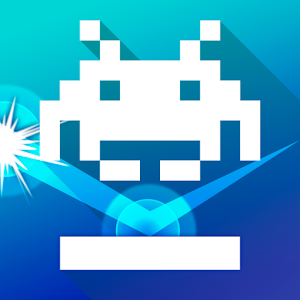
Arkanoid vs Space Invaders
Price: $3.99
Arkanoid vs Space Invaders is a mashup game. Arkanoid is the game where you bounce a ball up into objects to destroy them. Space Invaders lets you shoot up at bad guys that are slowly descending upon you. This game has both of those things. Your goal will be to destroy the invaders. They fire bullets at you and you reflect them back to destroy them. It also features 20 different powers, boss fights, 40 unlockable characters, and a hard mode. It costs $3.99 but has no in-app purchases.
DOWNLOAD ON GOOGLE PLAY
CineTrak
Price: Free / Up to $99.99
CineTrack is an app for movie buffs. It sources movie information from places like IMDB, Rotten Tomatoes, and Metacritic. You can use the app to keep track of movies you've seen and movies you want to see. Additionally, it'll alert you to upcoming releases, recommend ones based on your tastes, device syncing, and even offline browsing. You can get a few features for free. Paying for the premium version nets you all of the features. The app does this in a unique way. You can pay between $2.99 and $9.99 for one person. You also have options to pay much more to get your own pro version along with promo codes to share with your friends. That's kind of a neat way to do it.
DOWNLOAD ON GOOGLE PLAY
Run or Die
Price: $0.99
Run or Die is a 2D runner. It's also a very rare infinite runner with a single price tag. Your goal will be to run and jump through various obstacles in urban environments. It features 170 maps, five abilities, an endless runner mode, daily events, a training mode, and even a challenge mode. It does a good job of taking a single premise and giving you many different ways to play through it. The game will cost you $0.99 but it also has no in-app purchases.
DOWNLOAD ON GOOGLE PLAY
Firefox Focus
Price: Free
Firefox Focus is a new privacy browser on Android. It's actually a fairly basic browser. It'll get you where you need to go and do what you need to do. What makes it stand out are its privacy features. It can block most ads, ad trackers, and even analytics trackers. Additionally, it has the nifty ability to delete your entire browser history with the push of one always-available button. You can pair this with a VPN service and no one will have any idea what you're doing online. It's a free download with no in-app purchases.