Showing posts with label Android news. Show all posts

How Antivirus Software Can Be Turned Into a Tool for Spying

Employees of Kaspersky Lab at the company’s offices in Moscow. Intelligence officials in the United States believe Kaspersky’s antivirus software was turned into a tool for spying. Credit Maxim Shemetov/Reuters

It has been a secret, long known to intelligence agencies but rarely to consumers, that security software can be a powerful spy tool.

Security software runs closest to the bare metal of a computer, with privileged access to nearly every program, application, web browser, email and file. There’s good reason for this: Security products are intended to evaluate everything that touches your machine in search of anything malicious, or even vaguely suspicious.

By downloading security software, consumers also run the risk that an untrustworthy antivirus maker — or hacker or spy with a foothold in its systems — could abuse that deep access to track customers’ every digital movement.

“In the battle against malicious code, antivirus products are a staple,” said Patrick Wardle, chief research officer at Digita Security, a security company. “Ironically, though, these products share many characteristics with the advanced cyberespionage collection implants they seek to detect.”

Mr. Wardle would know. A former hacker at the National Security Agency, Mr. Wardle recently succeeded in subverting antivirus software sold by Kaspersky Lab, turning it into a powerful search tool for classified documents.
Mr. Wardle’s curiosity was piqued by recent news that Russian spies had used Kaspersky antivirus products to siphon classified documents off the home computer of an N.S.A. developer, and may have played a critical role in broader Russian intelligence gathering.

“I wanted to know if this was a feasible attack mechanism,” Mr. Wardle said. “I didn’t want to get into the complex accusations. But from a technical point of view, if an antivirus maker wanted to, was coerced to, or was hacked or somehow subverted, could it create a signature to flag classified documents?”

That question has taken on renewed importance over the last three months in the wake of United States officials’ accusations that Kaspersky’s antivirus software was used for Russian intelligence gathering, an accusation that Kaspersky has rigorously denied.

Last month, Kaspersky Lab sued the Trump administration after a Department of Homeland Security directive banning its software from federal computer networks. Kaspersky claimed in an open letter that “D.H.S. has harmed Kaspersky Lab’s reputation and its commercial operations without any evidence of wrongdoing by the company.”

For years, intelligence agencies suspected that Kaspersky Lab’s security products provided a back door for Russian intelligence. A draft of a top-secret report leaked by Edward J. Snowden, the former National Security Agency contractor, described a top-secret, N.S.A. effort in 2008 that concluded that Kaspersky’s software collected sensitive information off customers’ machines.

The documents showed Kaspersky was not the N.S.A.’s only target. Future targets included nearly two dozen other foreign antivirus makers, including Checkpoint in Israel and Avast in the Czech Republic.

At the N.S.A., analysts were barred from using Kaspersky antivirus software because of the risk it would give the Kremlin broad access to their machines and data. But excluding N.S.A. headquarters at Fort Meade, Kaspersky still managed to secure contracts with nearly two dozen American government agencies over the last few years.

Last September, the Department of Homeland Security ordered all federal agencies to cease using Kaspersky products because of the threat that Kaspersky’s products could “provide access to files.”

A month later, The New York Times reported that the Homeland Security directive was based, in large part, on intelligence shared by Israeli intelligence officials who successfully hacked Kaspersky Lab in 2014. They looked on for months as Russian government hackers scanned computers belonging to Kaspersky customers around the world for top secret American government classified programs.

In at least one case, United States officials claimed Russian intelligence officials were successful in using Kaspersky’s software to pull classified documents off a home computer belonging to Nghia H. Pho, an N.S.A. developer who had installed Kaspersky’s antivirus software on his home computer. Mr. Pho pleaded guilty last year to bringing home classified documents and writings, and has said he brought the files home only in an attempt to expand his résumé.

Interested in All Things Tech?
The Bits newsletter will keep you updated on the latest from Silicon Valley and the technology industry.


Kaspersky Lab initially denied any knowledge or involvement with the document theft. But the company has since acknowledged finding N.S.A. hacking software on Mr. Pho’s computer and removing it, though the company said it had immediately destroyed the documents once it realized they were classified.

The company also said in November that in the course of investigating a surveillance operation known as TeamSpy in 2015, it had tweaked its antivirus program to scan files containing the word “secret.” The company said it had done this because the TeamSpy attackers were known to automatically scan for files that included the words “secret,” “pass” and “saidumlo,” the Georgian translation for the word secret.

Kaspersky continues to deny that it knew about the scanning for classified United States programs or allowed its antivirus products to be used by Russian intelligence. Eugene Kaspersky, the company’s chief executive, has said he would allow the United States government to inspect his company’s source code to allay distrust of its antivirus and cybersecurity products.

But Mr. Wardle discovered, in reverse-engineering Kaspersky antivirus software, that a simple review of its source code would do nothing to prove its products had not been used as a Russian intelligence-gathering tool. (Watch how he reverse-engineered the software.)

Mr. Wardle found that Kaspersky’s antivirus software is incredibly complex. Unlike traditional antivirus software, which uses digital “signatures” to look for malicious code and patterns of activity, Kaspersky’s signatures are easily updated, can be automatically pushed out to certain clients, and contain code that can be tweaked to do things like automatically scanning for and siphoning off classified documents.

In short, Mr. Wardle found, “antivirus could be the ultimate cyberespionage spying tool.”
Mr. Wardle said it was relatively easy to use a vulnerability in Microsoft’s Windows software to manipulate the Kaspersky software. Because officials routinely classify top secret documents with the marking “TS/SCI,” which stands for “Top Secret/Sensitive Compartmented Information,” Mr. Wardle added a rule to Kaspersky’s antivirus program to flag any documents that contained the “TS/SCI” marker.

He then edited a document on his computer containing text from the Winnie the Pooh children’s book series to include the marking “TS/SCI” and waited to see whether Kaspersky’s tweaked antivirus product would catch it.
Sure enough, as soon as the Winnie the Pooh text was saved to his machine, Kaspersky’s antivirus software flagged and quarantined the document. When he added the same TS/SCI marker to another document containing the text “The quick brown fox jumps over the lazy dog,” it, too, was flagged and quarantined by Kaspersky’s tweaked antivirus program.

“Not a whole lot of surprise that this worked,” Mr. Wardle said, “but still neat to confirm that an antivirus product can be trivially, yet surreptitiously, used to detect classified documents.”

The next question was: What happens to these files once they are flagged? Mr. Wardle stopped short of hacking into Kaspersky’s cloud servers, where suspicious files are routinely uploaded.

However, he noted that antivirus customers, including Kaspersky’s, agreed by default to allow security vendors to send anything from their machine back to vendors’ servers for further investigation.

There are legitimate reasons for this: By uploading these items to Kaspersky’s cloud, security analysts can evaluate whether they pose a threat, and update their signatures as a result.

Kaspersky Lab said Mr. Wardle’s research did not reflect how the company’s software works.

“It is impossible for Kaspersky Lab to deliver a specific signature or update to only one user in a secret, targeted way because all signatures are always openly available to all our users; and updates are digitally signed, further making it impossible to fake an update,” the company said in a statement.

The company added that it applied the same security standards and maintained the same levels of access as other security vendors, and reiterated that it was willing to make its source code, threat detection rules and software updates available for audit by independent experts.

But, as Mr. Wardle’s research demonstrated, an untrustworthy vendor, or hacker or spy with access to that vendor’s systems, can abuse its deep access to turn antivirus software into a dynamic search tool, not unlike Google, to scan customers’ computers for documents that contain certain keywords.

“And no one would ever know,” he added. “It’s the perfect cybercrime.”
Latest News| Nokia 8 is here: the company’s first true Android flagship

Latest News| Nokia 8 is here: the company’s first true Android flagship

Few brands are capable of striking us with nostalgic reverence the way Nokia does. If you were old enough to own a cell phone in the early 90s or 2000s, odds are you owned a Nokia phone at some point, even if you skipped the Windows Phone era entirely. For many Android fans, our imagination has run wild over the years envisioning what exactly a Nokia-powered Android flagship might be like. It’s been a long time coming, but we no longer have to wonder anymore — the long-daydreamed Nokia Android flagship is finally upon us!
After giving us several entry and mid-range Nokia handsets, today HMD Global finally unveiled the long anticipated Nokia 8. Here are the key takeaways you’ll want to know about the newly unveiled Nokia 8:
Nokia 8
It’s all about the camera. In an ever-competitive marketplace, Nokia needs to bring more than nostalgia to the table if they really want to see sales success with their first Android flagship. Nokia’s big play here comes in the form of a partnership with Zeiss. This relationship brings us a dual 13 MP rear camera setup that combines a color and monochrome sensor, shots from which are combined into a single shot with greater contrast using “Image Fusion Technology”. The front camera is 13 MP, and includes auto-focus and actually utilizes the same camera module as the rear configuration. Other camera features include two-tone flash, apertures of f/2.0, and a special mode called “Boothie”.
Nokia’s bothie feature allows users to snap photos or record video using footage from both the front and rear cameras, split down the middle 50/50. Whether shooting in this mode or recording regular video, the footage can then be streamed directly to Facebook Live or YouTube natively from the camera app.
Sound recording quality is also a win here. It’s not just a great camera, the recording mics are also superb with the Nokia 8, thanks to the use of Ozo Audio. This solution previously was found in 360-degree VR cameras used by Hollywood and other professionals, and is a first for mobile. Basically the phone uses multiple microphones to capture high dynamic range and record binaural audio, which means that you’ll get high-quality stereo sound when you go to share the video with your friends, family, or YouTube/Facebook fans.
Spec-wise, it stands reasonably well against other 2017 flagships. The Nokia 8 is powered by a Snapdragon 835 with 4 GB RAM. It also has a 5.3-inch QHD display, 64 GB storage, microSD support, and a 3,090 mAh battery. When it comes to core specs, the Nokia 8 certainly holds its own when compared to flagships like the OnePlus 5, Samsung Galaxy S8, and others.
Nokia 8
At the same time, Nokia’s design decisions are somewhat dated. The Nokia 8 might have great under-the-hood specs but it sits things out when it comes to a lot of 2017’s big tech trends. There’s no waterproofing here, with just IP45 splash resistance. There’s also no 2:1 display like the G6 or S8, and the bezels here are also pretty big. Lastly, the Nokia 8 has physical buttons in a world where even Samsung is switching things up.
One trend that Nokia does embrace? As already mentioned, it has a rear-camera, and one that – on paper at least – looks very impressive.
About as pure as Android gets, outside of AOSP. Even Google’s Pixel line and the OnePlus 5 add at least a few tweaks to the pure Android formula. Not Nokia.
Nokia defaults to Google’s vision of Android in almost every aspect from settings to default apps, and beyond. Nokia also is said to already be testing Android O on their phones with a promise of quick updates. We’ve heard “quick update” promises from other brands that have failed to deliver, so we recommend at least a little healthy skepticism. However, sticking with near-pure Android certainly will make quick updates an easier reality for Nokia than a brand like Samsung.
Four colors from day one. The Nokia 8 will launch in four colors – Polished Blue, Polished Copper, Tempered Blue, and Steel. Keep in mind some of these colors could be specific to certain regions or carriers.
It’s not a ‘budget’ flagship, and it’s coming next month. In many ways the Nokia 8’s spec sheet somewhat reads similar to the OnePlus 5, but unlike that device, the Nokia 8 is priced similarly to more expensive flagships. Nokia’s flagship will debut on September 6th globally for a price of 599 Euros. While the US price tag hasn’t been revealed yet, the European pricing translates to around $700. Unless the US price ends up much lower than the European, that means it might be a bit cheaper than the iPhone or S8, but it is within similar range to HTC, LG, and several other premium flagships.

Nokia 8 – Diving deeper

Nokia 8
While the key points above give you a pretty solid idea of what Nokia is bringing to the table, if you want to know even more — we have your back!
  • Dive into the specs. Want to know the deeper ins-and-outs of the Nokia 8’s spec sheet, from known carrier bands to colors, and more? You’ll want to head here.
  • Go hands-on with the Nokia 8. Join Adam as he gives us his first hands-0n impressions of the new Nokia flagship.
  • Pricing and availability. You’ll want to bookmark this page, as we’ll continually update it as more carrier and regional release details come in over the next few hours, days, and week

Install Google Play Store For Blackberry10 z10 q10 q5 z30 z3 passport classic leap: IMMA_NIKE


Blackberry 10 users have been enjoying the privileges of running Android apps for quite some time now but the process of installing Android apps was risky because you had to sideload the apps downloaded from Third Party Sites. But now you don’t need to sideload the APK files before you can run and enjoy it on your BB Z10 device because it is now possible to run Google Play Store on your BB10 device.

For Blackberry 10 Smartphone users to use the service like every other Android device users, here I present to you the easiest way to install Google Play Store on your Blackberry 10 device.


How To Install Google Play On BlackBerry Z10
First of all you need to download the following apk files on your BlackBerry using any browser.
Google Play Store 5.7.6
Blackberry Google ID 2.1.1
Google Account Manager 4.3.2

                              ↓↓↓↓↓↓↓↓WATCH VIDEO TUTORIAL↓↓↓↓↓


Get Google Play Store for BlackBerry LEAP Z10 Z30 Q10 Q5 Z3 Passport Classic Venice/ PRIV

Google Play Store Files UPDATED; 8th January 2016
-CLICK on Adfly link to GET THE 3 FILES 
...............................................................
%LETS HIT 1000 LIKES&
..............................................................
OS 10.3/ 10.3.1/ 10.3.2/ 10.3.3 use this link
..............................


How To Root Any Android devices 6.0 marshmallows WORKING PROOF :IMMA_NIKE


10 Methods to Root Android Device Without Computer

Below, We are listing 10 methods to root android phone without computer. I have personally tried all of below 10 methods first and then shared it here. All of 10 methods requires APK file to be downloaded from buttons listed there.
1. Using FramaRoot
This is the top-most app which comes on Rank 1 when we talk about rooting any phone without PC. This APK is still best APK ever to root any mobile without PC/Computer. This app has rooted thousands of devices which support its exploits. This app is a must try for every phone.
Framaroot has many exploits to root any android device without PC/Computer. Most of the exploits of Framaroot are created for MTK chipset android phones though. Follow below methods to root your android mobile via Framaroot.
How to use Framaroot:
  1. Download Framaroot from above link. (Just, click on above link to download Framaroot).
  2. Install APK in your android phone and Open Framaroot from app drawer now.
  3. Simply, Click on Boromir and Wait until It does not show Su Installed successfully.
In case, It shows Exploit failed error, then you have to try any other app to root your android device.
Video tutorial to root your phone without computer:


2. Using Universal Android Root:
This app is very popular among geeks for purpose of rooting their phone without pc. Just download this apk and install in your android phone and you are ready to go. This is one of best rooting apk undoubtedly which you can give a shot. If you are unable to root your android mobile using Framaroot, then you must give this app a try once.
This is one of simplest method to root android mobile safely. Universal AndRoot is the basic android app which can root almost every device without any kind of problem. It is best Framaroot Alternative. Follow, below method to root android mobile using AndRoot.
Steps to root phone using Universal AndRoot:
  1. Just, Download Universal AndRoot from above link.
  2. Install it in your android mobile. (Make sure you have enabled Unknown Sources in settings).
  3. Now, Open Universal AndRoot from app drawer.
  4. Click on Root to begin rooting process.
Note: Before rooting your android phone make sure that you have selected correct Android version. Otherwise, it will not be able to root your android phone using it's exploits.

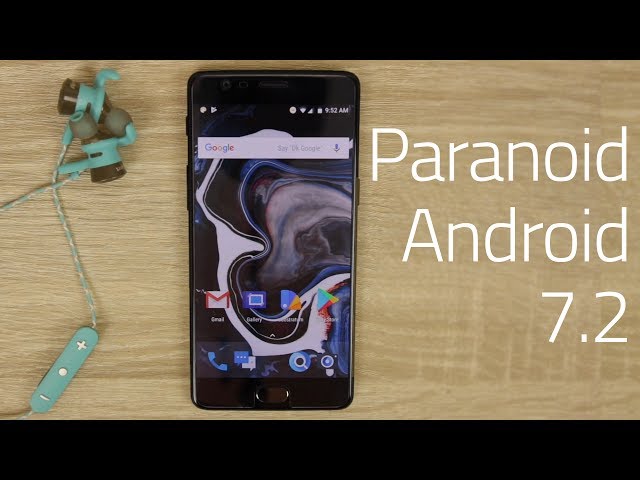
Paranoid Android 7.2.0 Improves Color Engine, Adds Accidental Touch Protection, and Supports Even More Devices-IMMA_NIKE

Just a little more than a month ago, Paranoid Android made a grand reentrance to the ROMing world with builds of the ROM built off of 7.1.2 Nougat. Paranoid Android introduced a heap of new features with its last version, and the fine folks over at the PA team are back at it again with their latest release. The ROM is still based off of Android 7.1.2, but the version for PA is now 7.2.0.
The dev team behind Paranoid Android have been hard at work on this new build over the past month, and a lot of time has been spent eliminating pesky bugs, improving existing features, adding new ones, and introducing support for even more devices.
Paranoid Android’s crew has been lurking through Google+ and other platforms to track any and all user complaints from the previous build, and as such, any bugs that were present in PA 7.1.2 should now be a thing of the past with the 7.2.0 version. Furthermore, a lot of the new features that have been added were done as a result of what the community was asking for!

New Features in 7.2.0

  • Double tap on status bar to sleep device
  • Screen off action for button settings
  • Fixed navigation bar swiping gesture
  • Improved notification light performance
  • PA Browser is now based on M60
  • Fix for pulse on pickup bug
  • Various fixes for contact handling with Google apps
  • Removed bugs causing Bluetooth connectivity issues
  • Improved lighting for hardware navigation keys
  • Higher quality stock wallpapers
  • Optimized speed for fingerprint unlock
  • Fixed message when rebooting your phone or putting it into recovery mode
  • Enhancements for device performance
  • Power-related enhancements
  • Numerous other improvements and fixes that you’ll notice the more you use the ROM
Changes specifically for the OnePlus 3/3T
  • Resolved camera crashes
  • Fixed manual ISO control issue
  • Better post-processing for photos using custom HAL camera
  • Improved performance and accuracy for GPS
  • Improved power and performance for Wi-Fi
  • Optimized NFC toggling speed
  • Resolved errors for specific VoLTE setups
  • Automatic brightness tuning has been reworked
  • Added fix for LID support
  • Numerous performance improvements
  • Better memory management
  • Fixed the known idle drain issue
  • Multiple power-related enhancements
Changes specifically for Google Pixel/Pixel XL
  • Fixed crashes with the Google camera
  • Fixed NFC tile
  • Kernel has been updated to latest EAS upstream
  • Merged latest security patches
  • Backported changes from the Android O Developer Preview
  • Better memory management when device is under pressure

Accidental Touch

Games for Android have gotten extremely good over the years, but while graphics have gotten more life-like and gameplay has become more intuitive, one issue has remained among all of this development – accidentally pressing the navigation buttons during the middle of an intense gaming session. Buzzkill!
This is a very common issue to stumble upon, and it’s especially true when playing games that have your fingers flying all over your screen. Thankfully, Accidental Touch aims to fix this once and for all. Accidental Touch is a feature that allows your phone to recognize when the touchscreen is being used, and when it is both on-screen and hardware navigation buttons will switch to an inactive state.
While most useful when playing games, Accidental Touch could also come in handy while messaging friends, browsing the Web, or scrolling through Twitter. Anytime you’re using the touchscreen, accidentally grazing over your nav buttons won’t send you flying back to your home screen when you didn’t intend to do so. It’s a simple feature, but it’s one that proves to be extremely useful in regular day-to-day use.

Pocket Lock

Another feature that aims to reduce accidental inputs on your device is Pocket Lock. However, unlike Accidental Touch that prevents input when using your phone, Pocket Lock helps to minimize on accidental device use when your phone is in your pocket.
Pocket Lock works by, “switching off major input sources and consuming additional exceptional inputs.” The feature works very similarly to OxygenOS’s Pocket Mode, as the screen will essentially go inactive if the phone notices that anything is covering ambient light sensors typically found near the top of your phone.

Color Engine Improvements

Color Engine was first introduced with PA 7.1.2, and it allows you to change your phone’s primary and accent colors throughout the user interface. The Color Engine still works in the same fashion as it did with the previous Paranoid Android builds, but you’ll now be able to use a new gray color option as both a primary and accent color.
Furthermore, all known compatibility issues that existed with the Substratum Theme Engine have been addressed as well.

Shuttle+

Lastly, Paranoid Android has partnered with the makers of Shuttle+ to bring the music app to all devices running PA. Shuttle+ is a great-looking app with a lot of features to play around with, including:
  • Ability to Google Cast songs to your TV
  • Directly embedded lyrics
  • Scrobbling to Last.fm
  • Editing for ID3 tags
  • Batch playlist creation
  • Custom themes
  • And plenty more
The Nextbit Robin is one of many new devices supported by PA 7.2.0

Newly Supported Devices

Paranoid Android 7.1.2 launched with a pretty impressive device roster last month, and even more smartphones and tablets have been added with this latest release. The full list of new devices that are now officially supported with PA 7.2.0 include:
  • bacon – OnePlus One
  • onyx – OnePlus X
  • gemini – Xiaomi Mi5
  • shamu – Nexus 6
  • Robin – Nextbit Robin
  • zl1 – LeEco Le Pro3
If you own a Sony Xperia smartphone and are bummed out that there’s still no official support for any of Sony’s devices, the PA team hasn’t forgotten about you! It’s currently impossible for the Paranoid Android team to support every single Sony device out there, so in an attempt to make sure that all time and resources are spent as effectively and efficiently as possible, you can vote for which Xperia devices you’d like to see supported by PA in the near future. There’s currently no word as to when PA support will head to Sony phones, but the Paranoid Android team has confirmed that they’ll release builds for the Xperia phones that receive the most votes.

OTA Updates

Following the release of Paranoid Android 7.1.2, there were numerous device-specific issues reported. While users were likely expecting OTA updates to resolve said issues, the Paranoid Android team was unable to push these out as Paranoid Hub (the OTA update system for PA) was broken at the time. Paranoid Android 7.2.0 features a working version of Paranoid Hub, so the PA team will now be able to push out OTA updates if/when there are device-specific features and fixes that need to be added.

Hands On With Paranoid Android 7.2.0

We were able to play around with a pre-release build for Paranoid Android 7.2.0, and the screenshots below have all been taken from said build.
Paranoid Android 7.2.0 seems to be a great update to what was introduced last month with 7.1.2. The changes that have been made are a touch more conservative than what we saw with the previous release, but when you add together all of the bug fixes and new features that have been added, there really is a lot to love.

WhatsApp's latest update will save you time while you text-IMMA_NIKE

The popular messaging app is making a few things easier when it rolls out its latest update


whatsappmain


WhatsApp is going to make a few small changes to the way you text with its next update.
Although the Facebook-owned app lets you add bold, italic and strikethrough effects to your text, it can be tricky to remember how. You need to type in specific key patterns, such as *bold* for bold or _italic_ for italic , to put them in your message.

But WhatsApp looks set to make this a lot easier with a new drop-down menu that will let you select different font effects for the highlighted text.


The service is currently Beta testing WhatsApp 2.17.148 which will introduce this time-saving method. Currently it's only available on Android but will likely come to iPhones in the future as well.
There's been no official word from WhatsApp about when to expect the new update or whether there will be additional features added in. But it marks the latest in a series of updates that has also included the option to send more files across the service .
Whether it's a PDF, Word document, spreadsheet or an APK file, WhatsApp's 1.2 billion users will soon be able to send them across to each other or share them in a group.
And now they'll be able to send them accompanied by some big, bold text.